Accounting · Banking · Payroll · HR · CRM
The back office for businesses that don’t have one.
Qevreno keeps your books, reconciles your bank, runs payroll and HR, and tracks every lead — so a small team can run its own accounts and people without hiring a back office.
Built for the UAE, the UK and India · any currency · works on your phone
UAE Current Account
Gulf bank · AED · posts to 1012 Bank
4 lines to reconcile. Check what we found and press OK.
On your bank statement
Transfer from Al Noor Contracting
Best match — same amount, same day
Receipt RCPT-2041 · Al Noor Contracting LLC
On your bank statement
Share capital paid in by the founders
Already in your books — nothing new is posted
Journal JRN-0001 · Share capital paid in
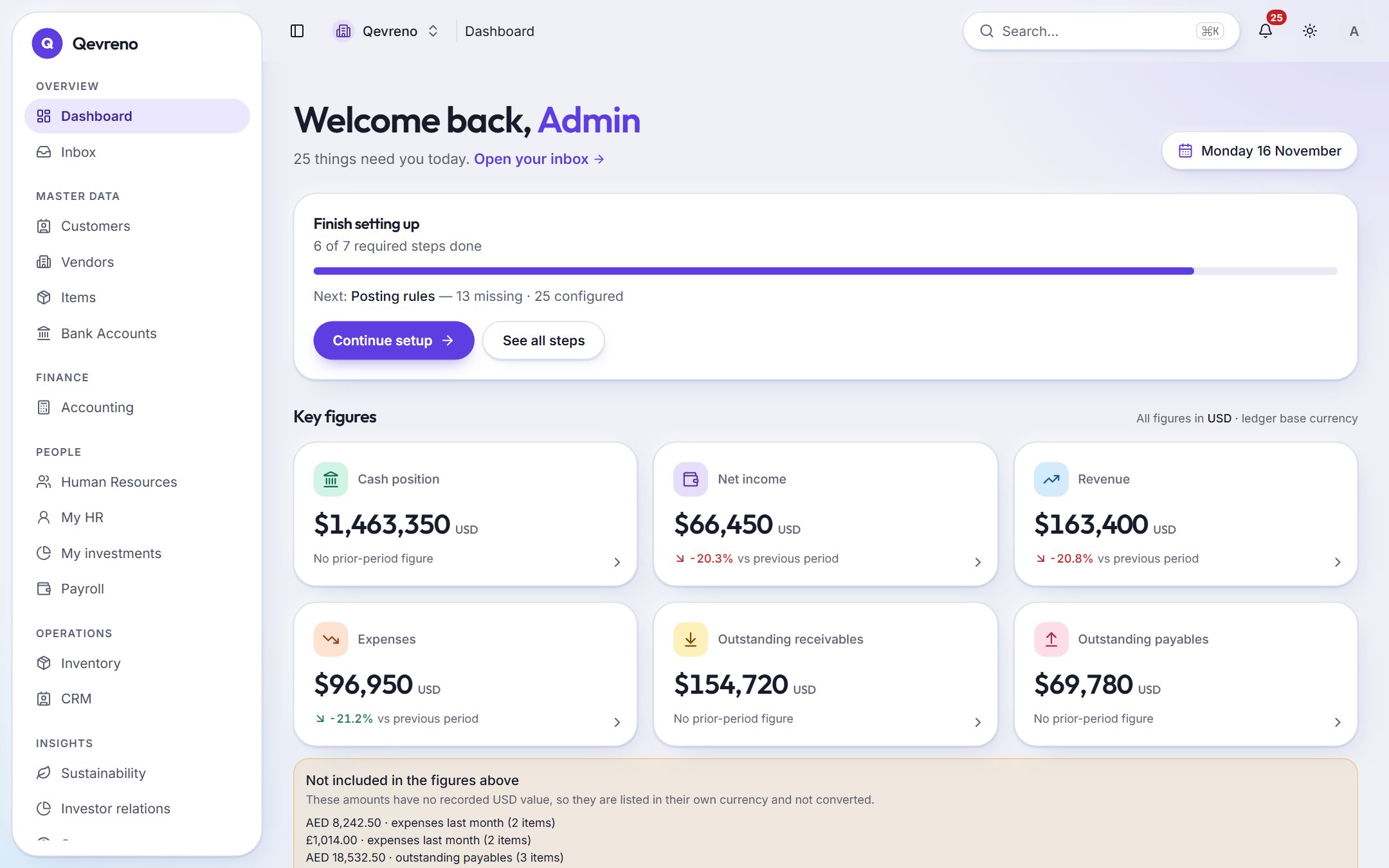
Open it in the morning. Every figure that matters, and every one of them clickable.
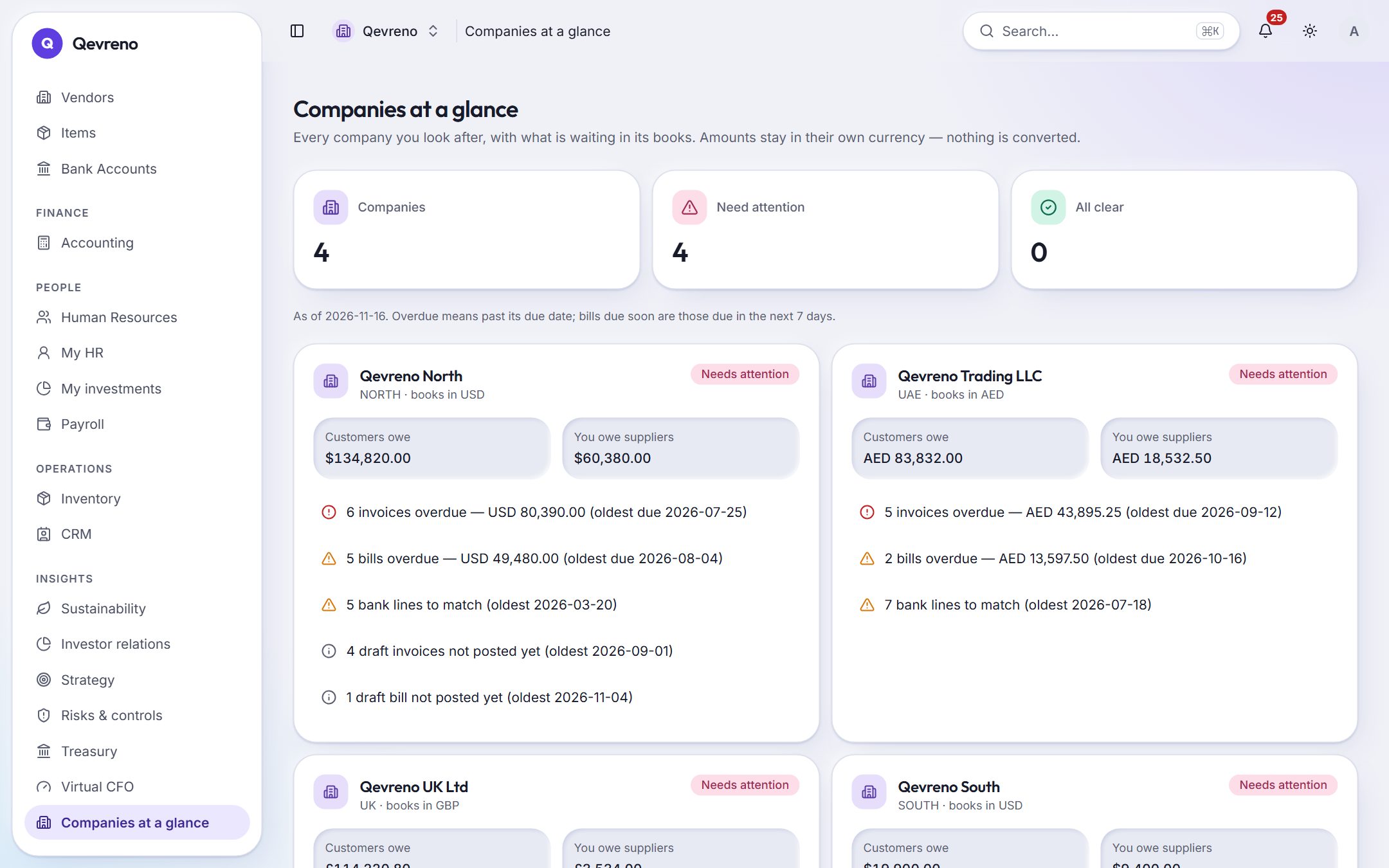
This is the real dashboard — demo company, real screen. Cash, income, what you are owed and what you owe, in the books’ own currency.
What it takes off your plate
The month an accountant and an HR person would spend — done as you go.
Everything in one set of books
Twelve modules. One ledger underneath.
Each module posts to the same double-entry books, so a payslip, an invoice and a bank line always agree — and you never re-enter anything.
See every featureMoney
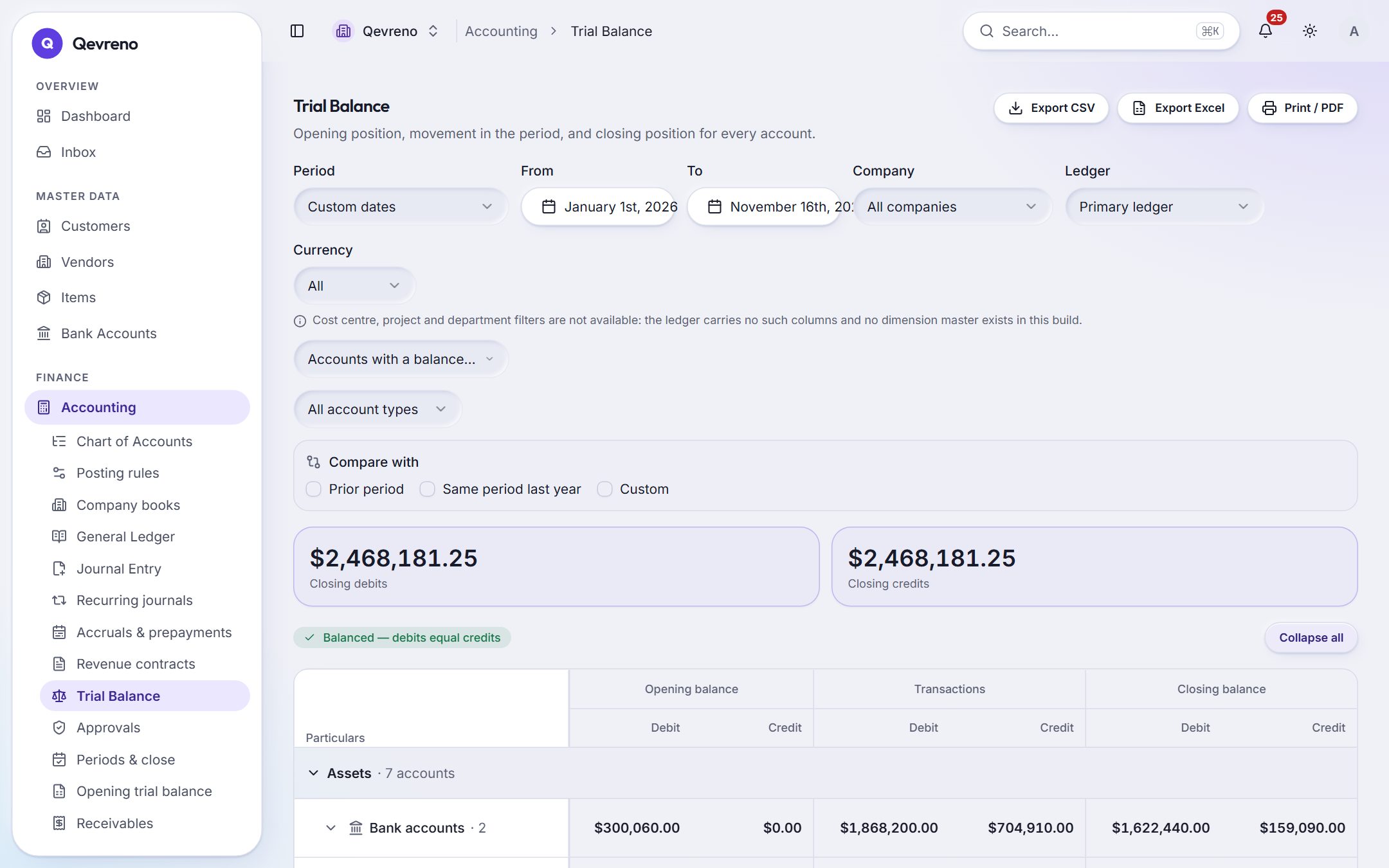
- 01AccountingDouble-entry books, journals, trial balance and period close.
- 02Bank reconciliationImport a statement and reconcile each line with one OK.
- 03Quotes & invoicesQuotation to sales order to invoice, recurring billing and receipts.
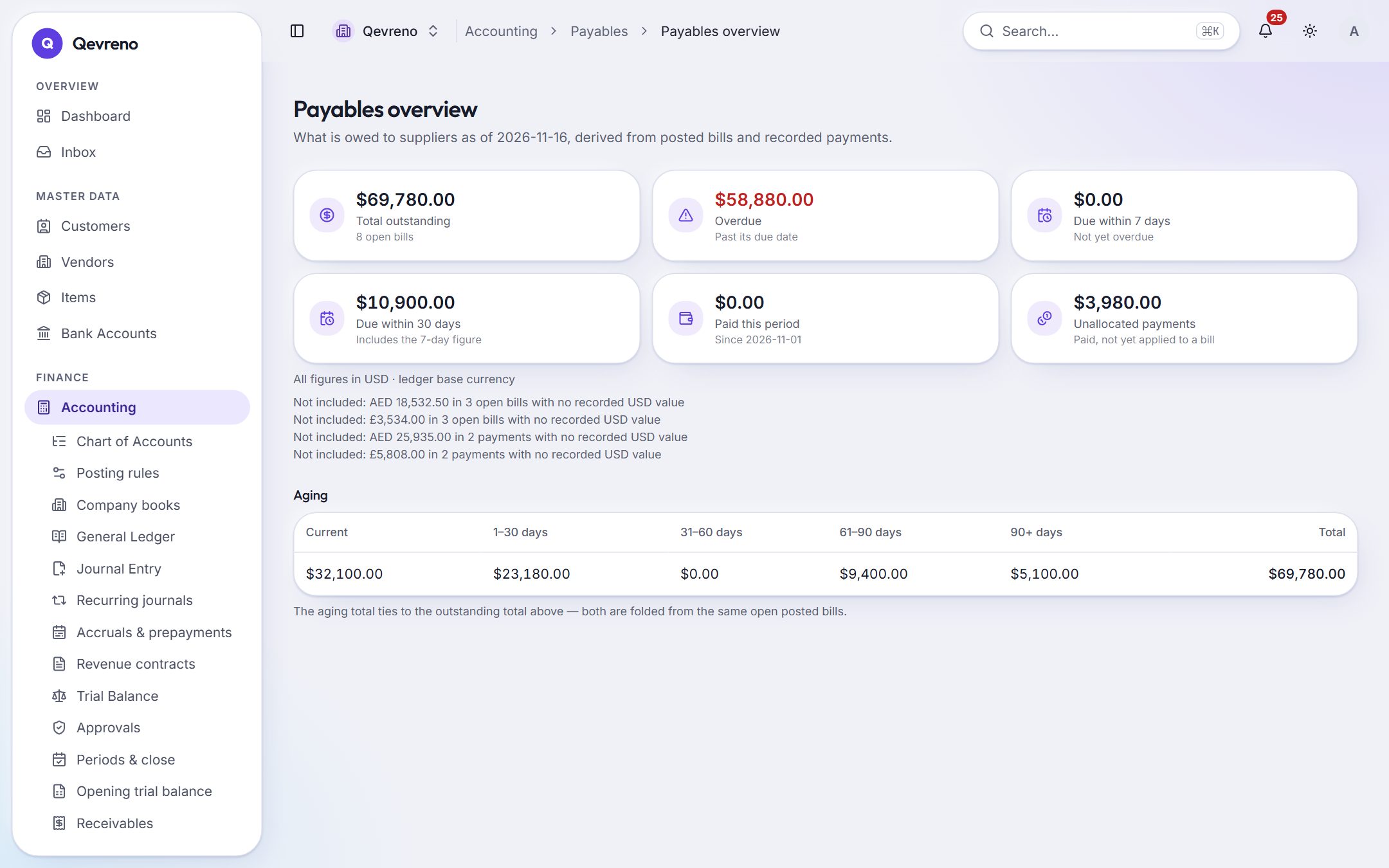
- 04Bills & expensesPhoto bills, purchase orders, payables and expense claims.
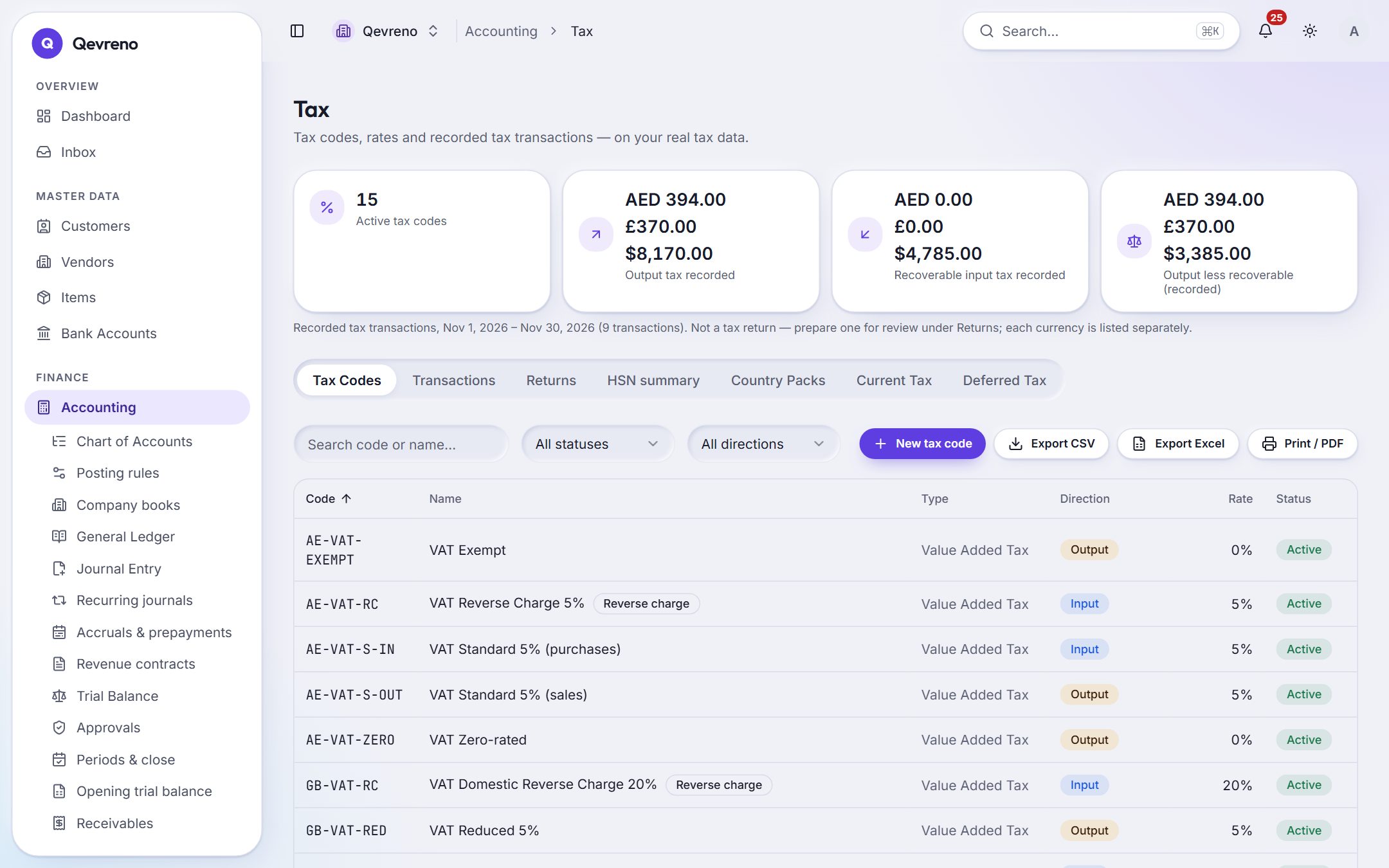
- 05VAT & GSTTax codes on every line and return figures by box.
People
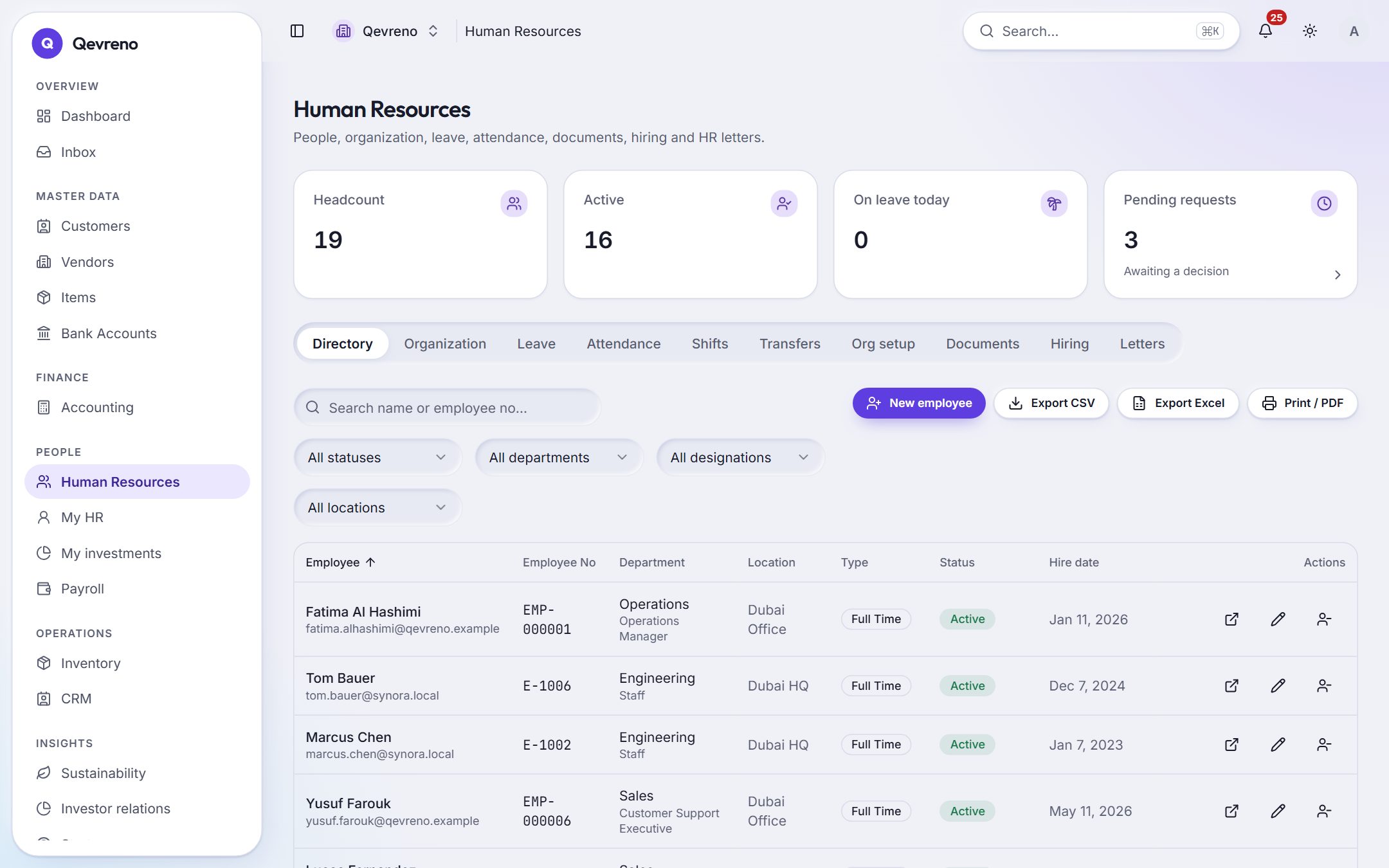
Sales & operations
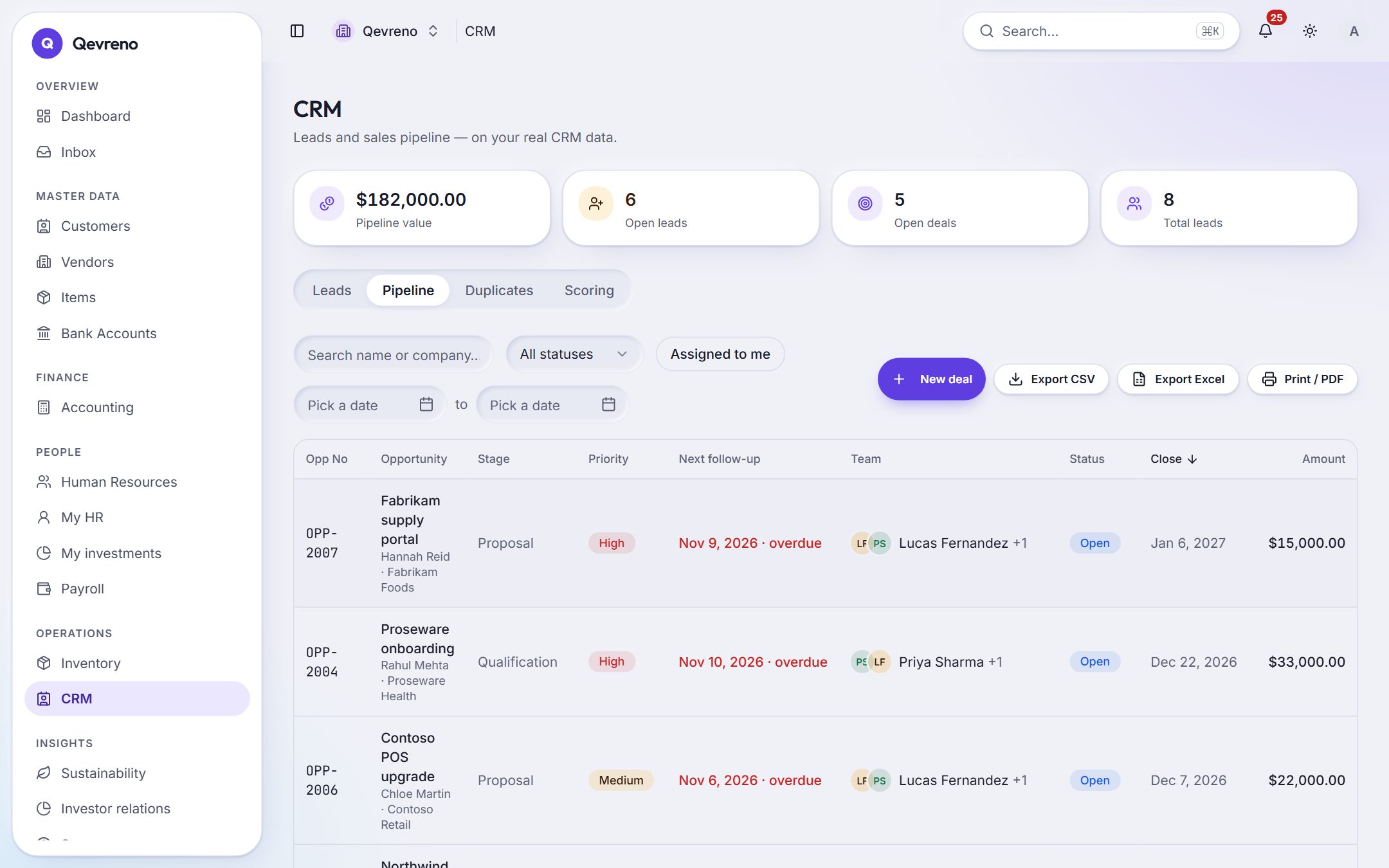
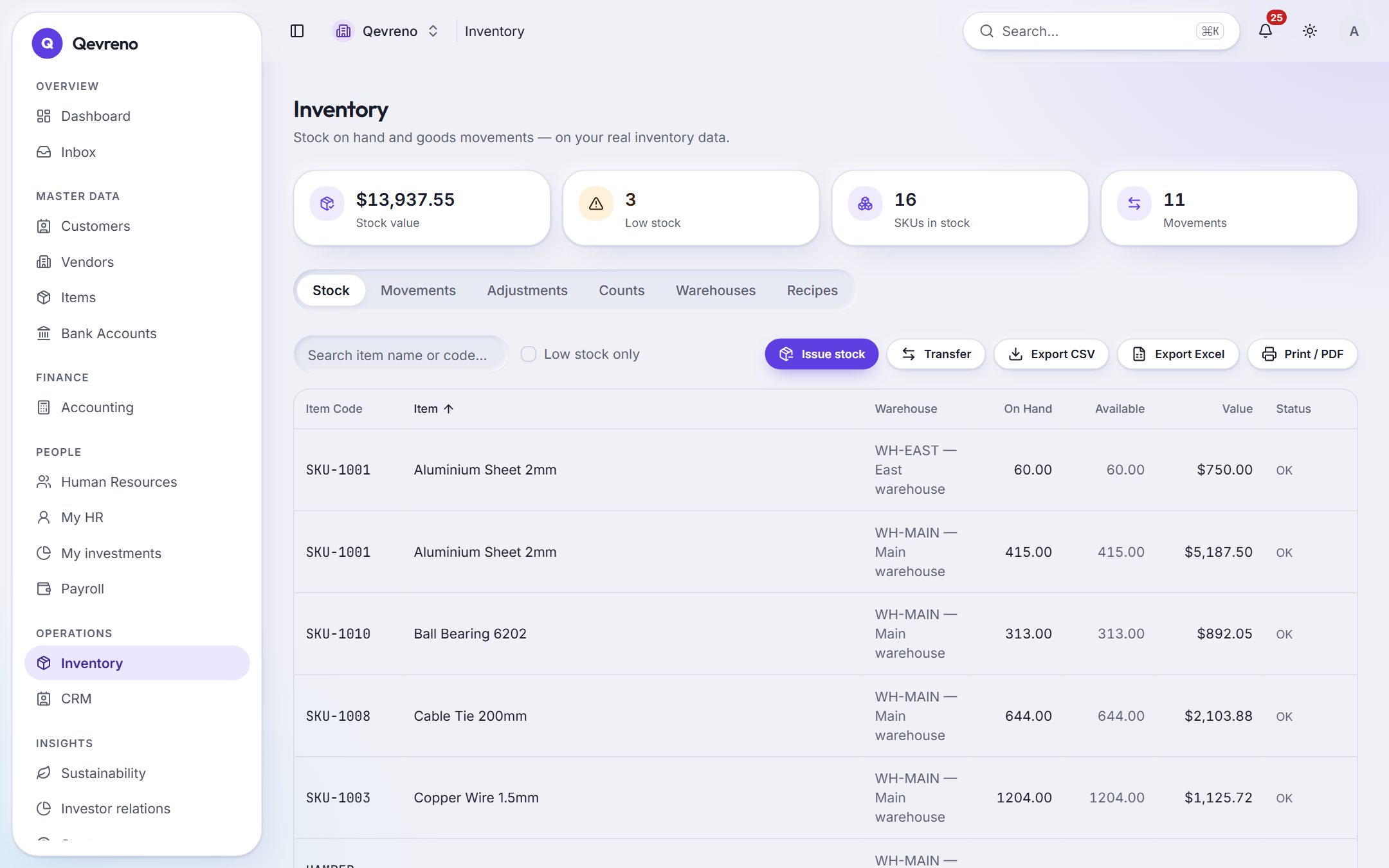
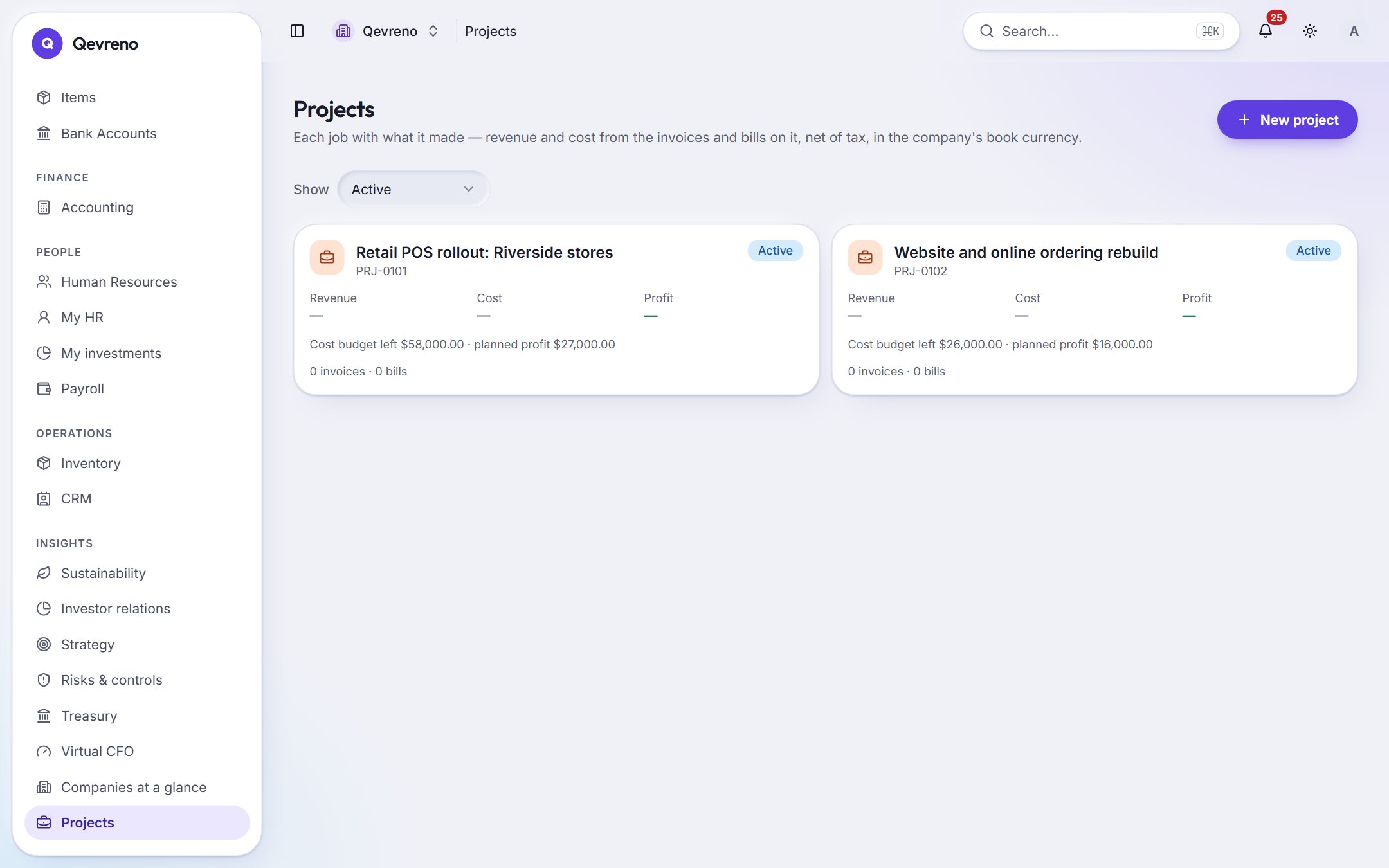
A day with Qevreno
What running the back office looks like when it takes minutes, not days.
- 08:40
Everything that needs you, in one inbox
Leave to approve, bills waiting, a payroll run to check, quotations to chase. Each item opens the exact record — no hunting through modules.
How it works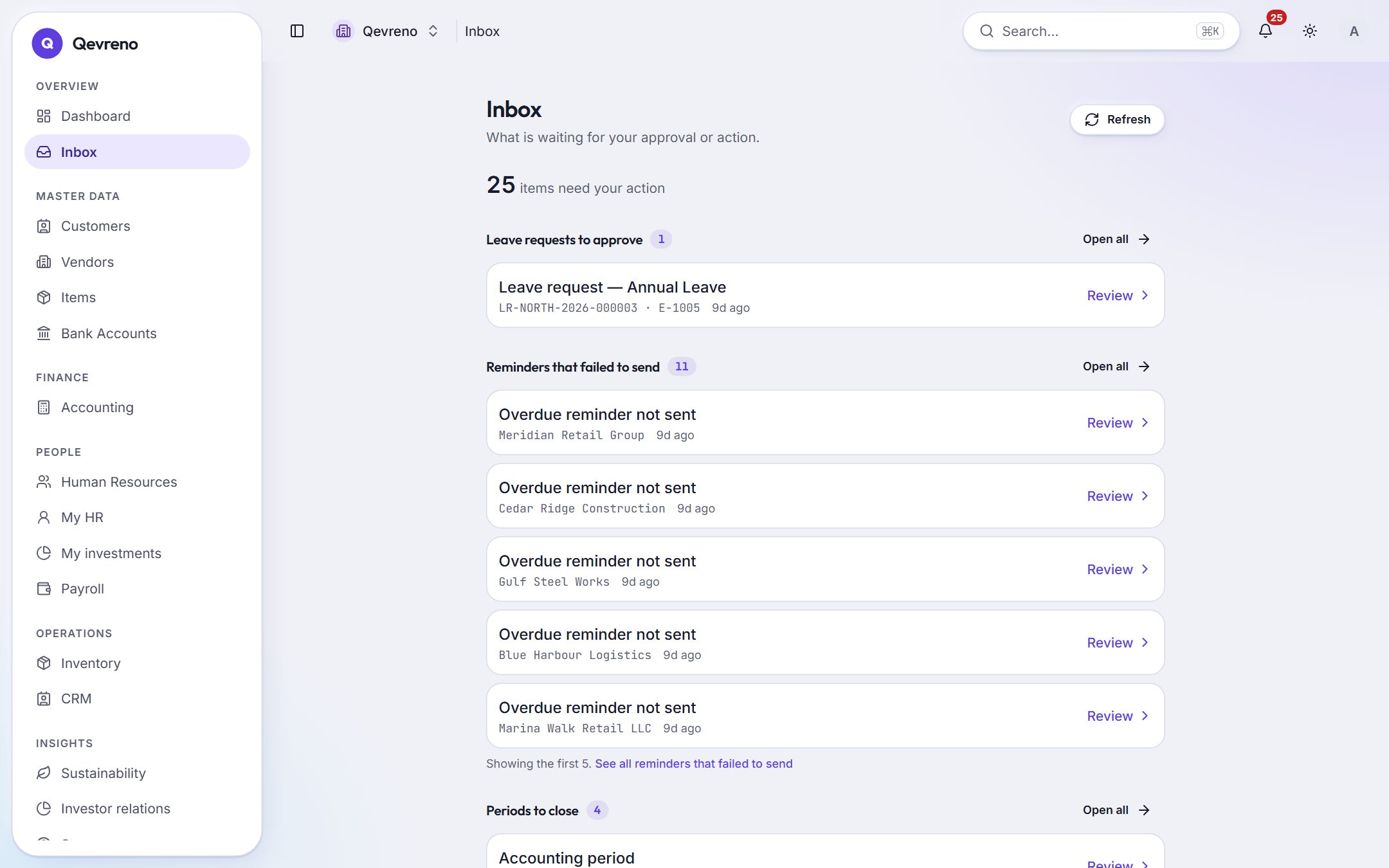
- 09:15
Yesterday’s bank lines, ticked off
Import the statement. Each line already shows its best match — a customer receipt, a supplier payment, a journal. Press OK, line by line.
How it works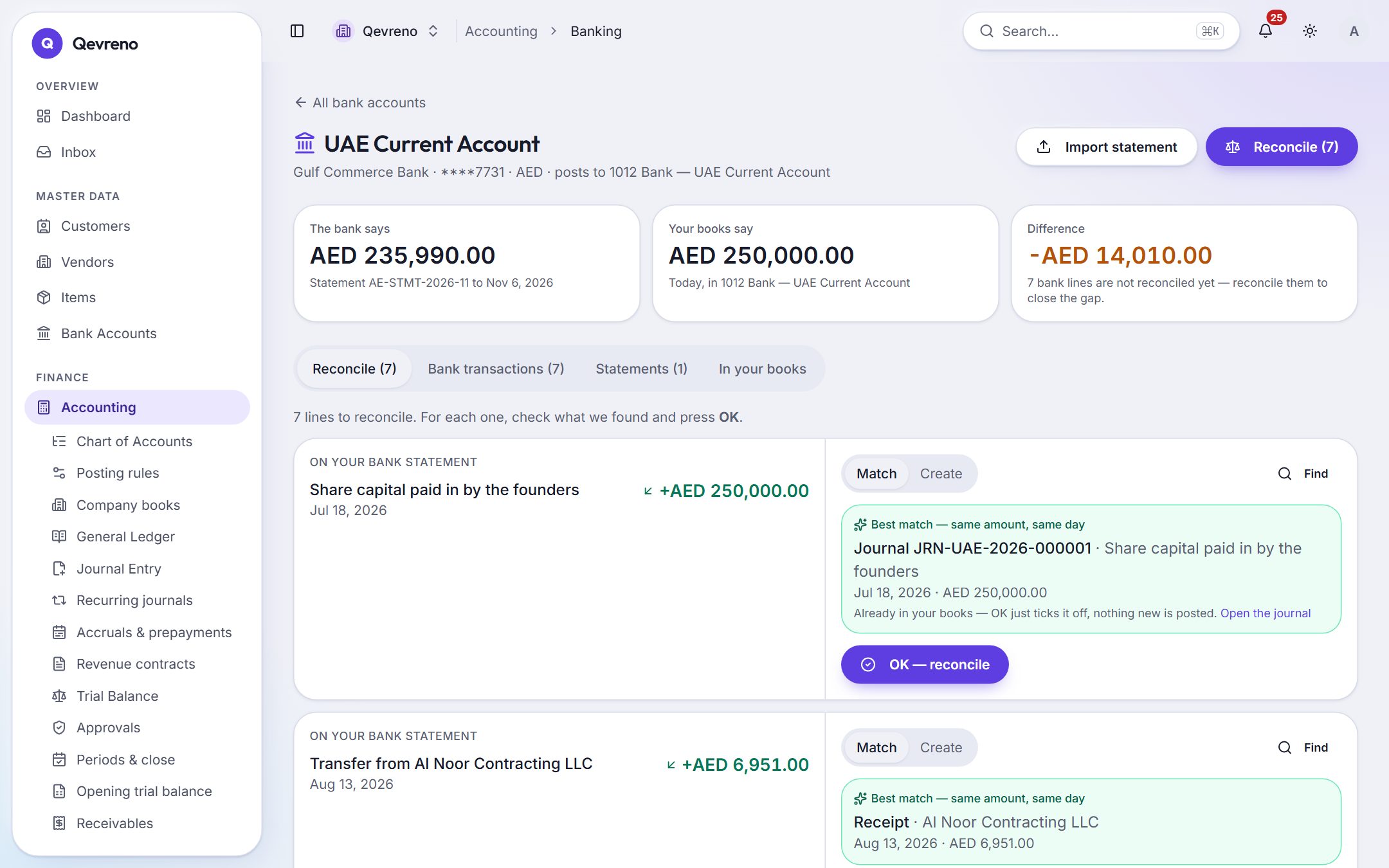
- 11:30
Quote in the morning, invoice by lunch
The customer accepted. Convert the quotation to an invoice in one step; the lines, prices and tax come with it.
How it works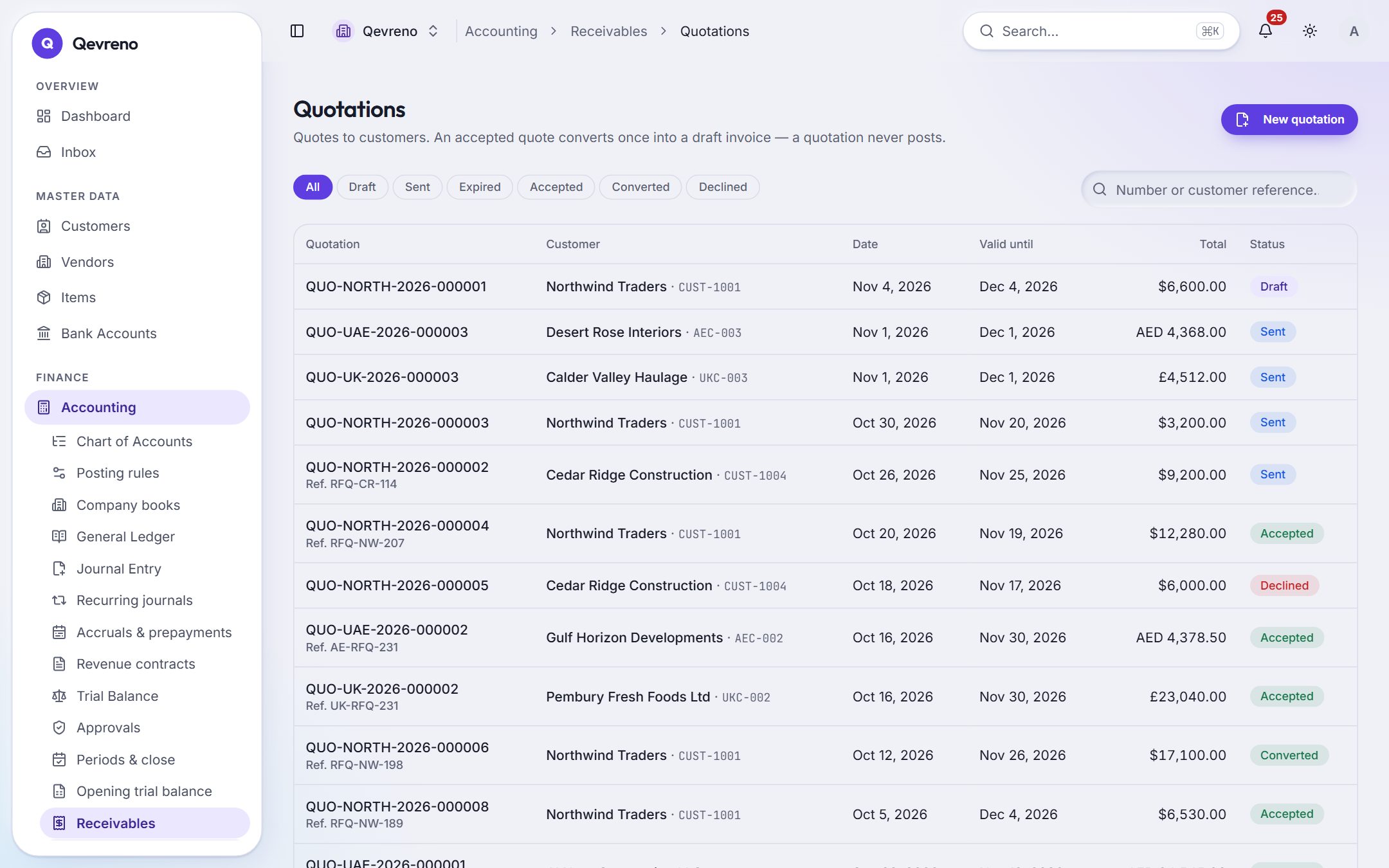
- 15:00
Approve the month’s pay
The run is already calculated from salaries, the calendar and approved leave. Approve it, post it, and download the WPS file.
How it works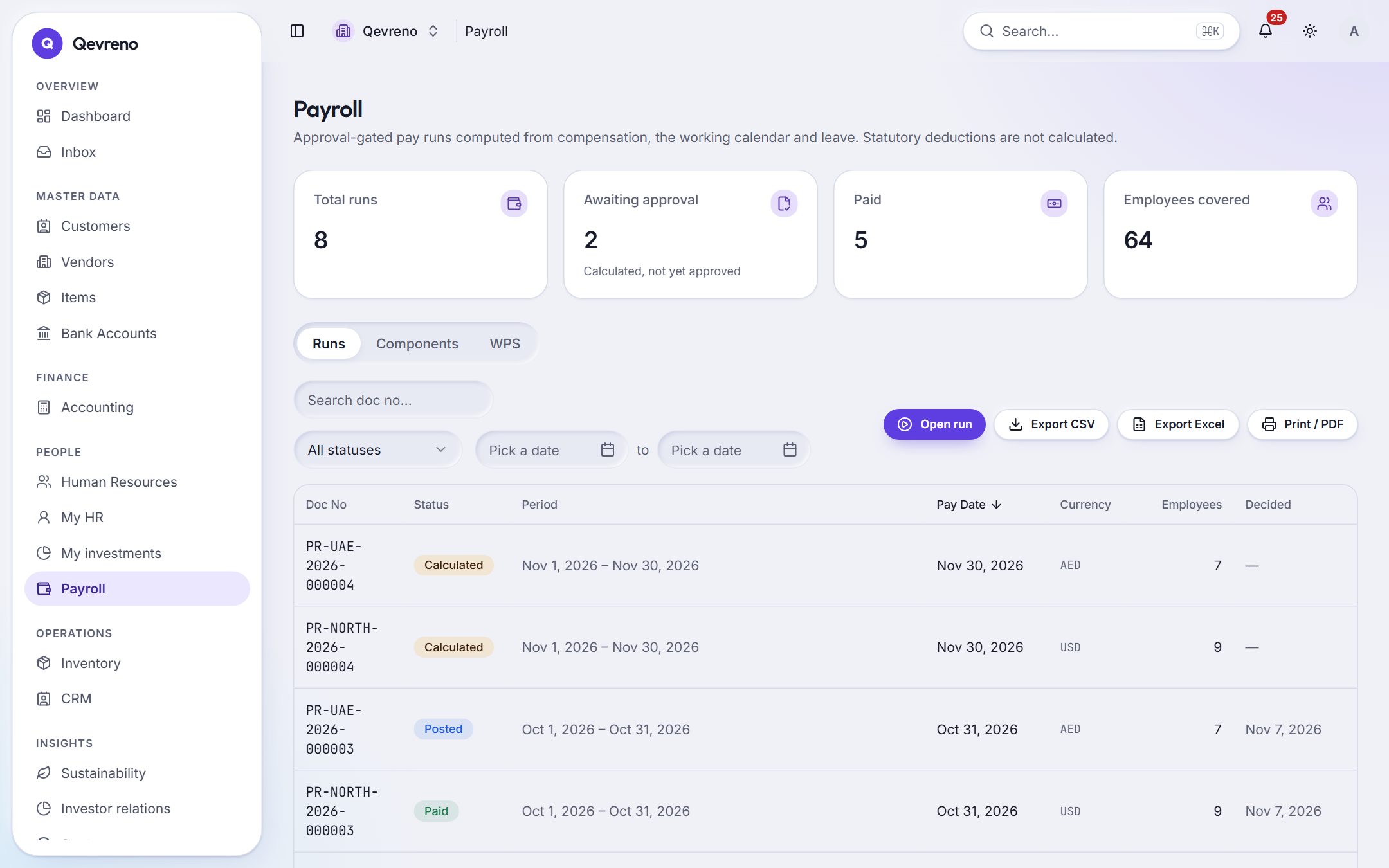
- 18:10
Ask how the business is really doing
Virtual CFO reads your books and answers in plain words — growth, margin, cash runway, slow payers — with the figures behind every sentence.
How it works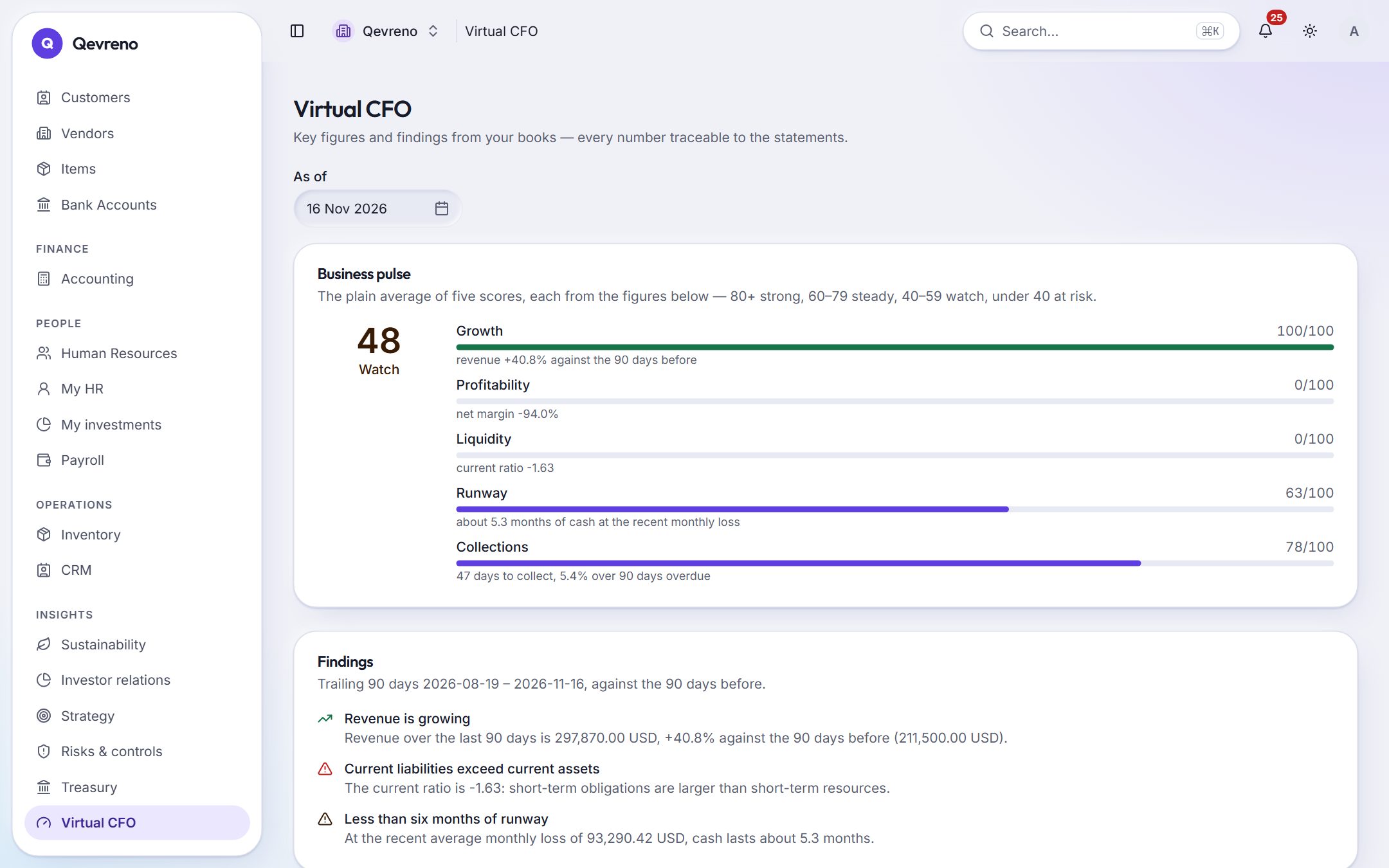
Built like a ledger
Easy on the surface. Strict where your money is.
Simple screens are only safe if the rules underneath are strict. These hold for every company, every user, every screen.
How we protect your data- 01
Nothing is deleted
The ledger only grows. A correction is a reversal that names what it reverses, so the history always adds up.
- 02
Every number has a source
Click any figure — on the dashboard, the trial balance, a tax box — and see the entries and documents behind it.
- 03
Money waits for a yes
Payroll, payments and large journals go through approval. The person who calculates a pay run cannot approve it.
- 04
No invented rules
Tax rates are dated settings, not hidden constants. Where a statutory rule is not built from an official source, the screen says so.
On every phone
Your team doesn’t need a desk to use it.
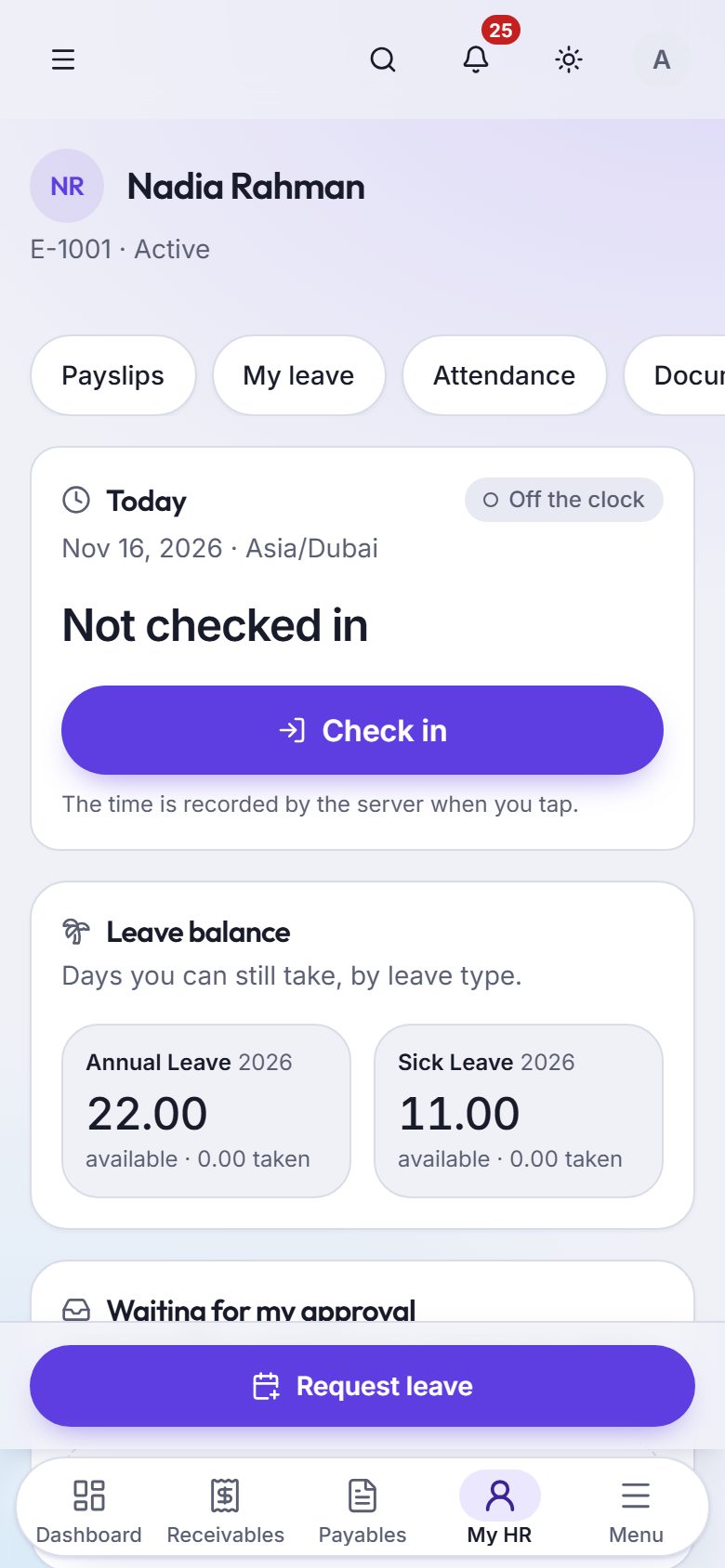
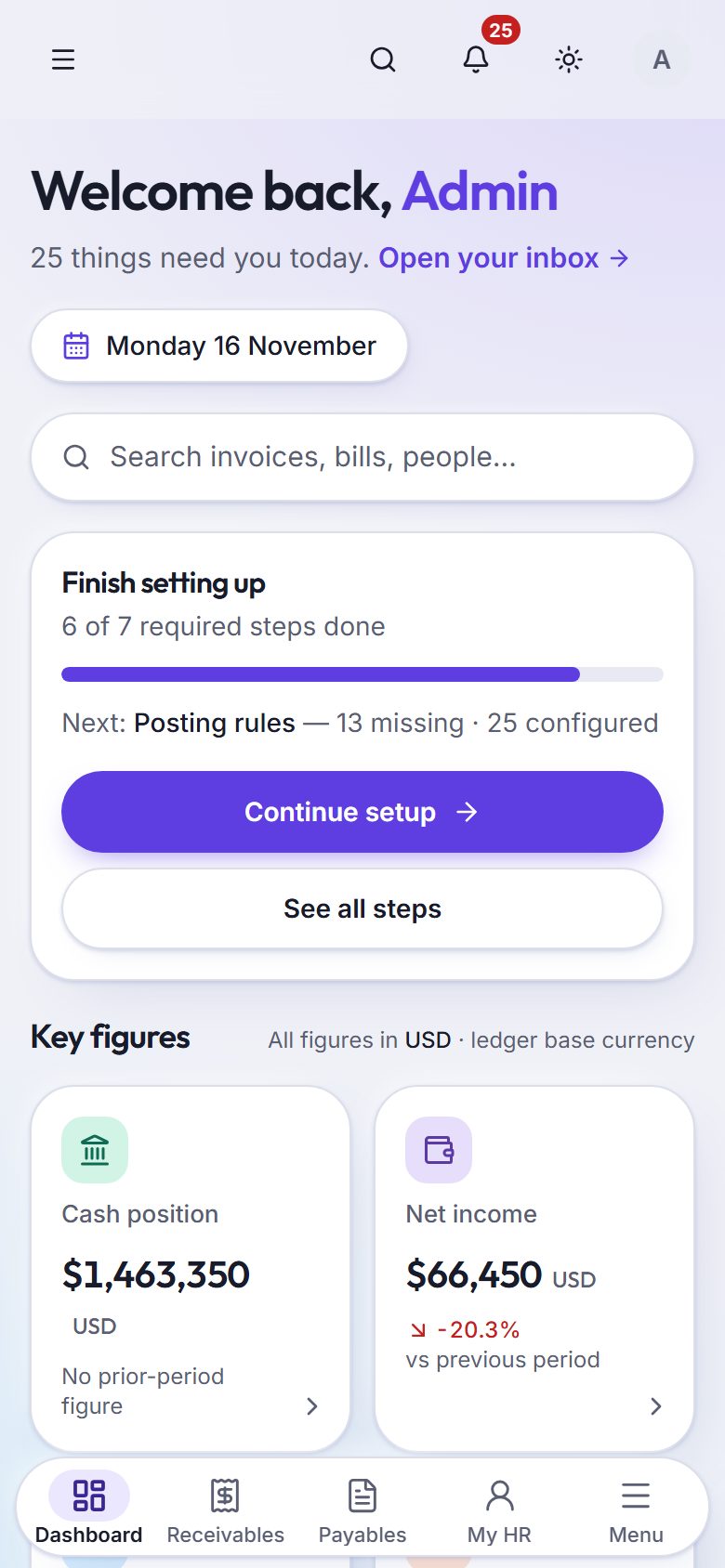
Employees apply for leave, read their payslips and download letters from My HR. You approve from wherever you are. Install it from the browser — no app store needed.
- Leave requests and approvals
- Payslips and letters
- Dashboard and inbox on the go
- Bank lines and bills, one tap each
Where it fits
Built around how businesses really file and pay in three countries.
United Arab Emirates
AE- VAT 201 return figures
- WPS salary file (SIF)
- Books in AED
United Kingdom
GB- VAT 100 return figures, boxes 1–9
- April fiscal year
- Books in GBP
India
IN- GST figures: CGST, SGST, IGST, cess
- HSN / SAC codes on items
- April fiscal year, books in INR
Qevreno prepares return figures and salary files from your books; you submit them through the official channel. Several companies and currencies? See multi-company.
Questions people ask first
Who is Qevreno for?
Small businesses — typically up to about fifteen people — that want to run their own books, bank, payroll, HR and sales in one place, and the accountants who look after them.
Do I still need an accountant?
Qevreno handles the day-to-day: bookkeeping, bank reconciliation, invoicing, payroll and HR admin. Many businesses still ask an accountant to review the year-end accounts and file tax returns — they can work in the same books with their own login.
Can I move from Excel, Tally or another system?
Yes. Import customers, vendors and items from a spreadsheet, and bring your balances in as an opening trial balance on the day you switch.
Does it work on my phone?
Yes. Qevreno works in the phone’s browser and can be installed to the home screen like an app. Employees use it for leave, payslips and letters; owners for approvals and the dashboard.
Which countries does it support?
Return figures and payroll files are built for the UAE, the UK and India, and you can invoice and keep books in other currencies. Each company keeps its own currency and fiscal year.
How much does it cost?
Plans depend on the modules and the number of people and companies. Book a demo or write to us and we will share the plan that fits.
See your own business in Qevreno
Book a demo and we will walk through your books, your bank and your payroll with you — or create your company and look around on your own.