Money · Bank reconciliation
Reconcile the bank in one OK per line
Each bank account has its own page: what the bank says, what your books say, and the difference in plain words. Below it, every line waiting for you, with the best explanation already found.
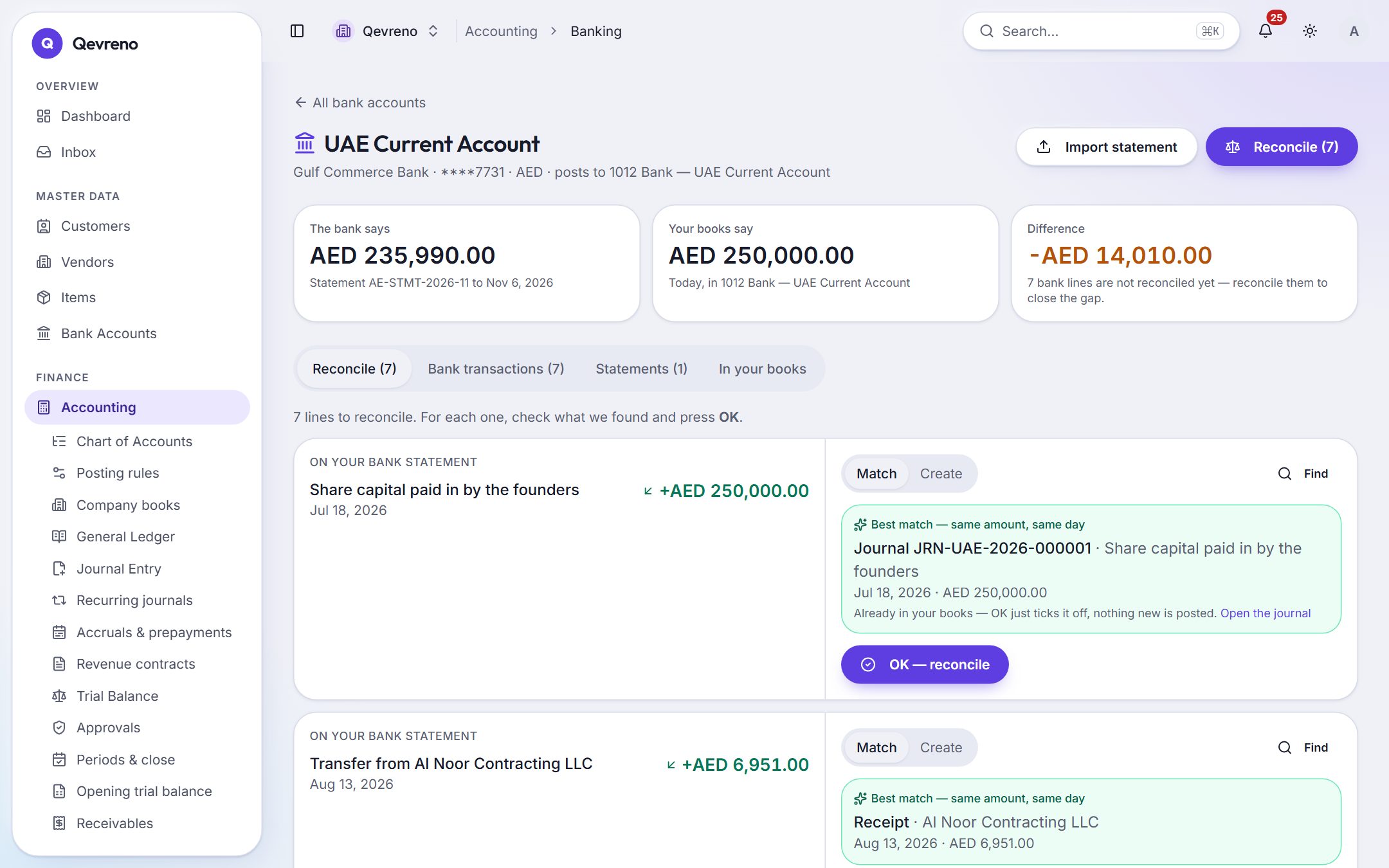
The real screen, with a demo company’s data.
What you can do with bank reconciliation
The best match, found for you
Same amount, same day, the document number in the bank reference — Qevreno ranks receipts, payments, salary runs and journals and shows the best one. Press OK.
Fees and interest in one step
Nothing to match? Pick the account, press OK, and the line is booked and reconciled together. Tick a box and it becomes a bank rule, so next month it is just OK.
Never counted twice
If the money is already in your books as a journal, Qevreno matches the line to it and posts nothing new — and warns you before you book it again.
Every statement format your bank gives you
Import CSV, OFX, MT940 or camt.053 files. The same file imported twice adds nothing; a statement for the wrong account or currency is refused.
Each account in its own books
A UK account reconciles into the UK company’s books in pounds; a UAE account into the UAE books in dirhams.
Undo with a reason
Reconciled the wrong line? Undo it with a reason. The bank posting is reversed by a mirror entry and the history stays readable.
How it works
In 4 steps
- 1
Download your statement from online banking and import it on the account’s page.
- 2
Open the Reconcile tab: each line shows the bank’s words, the amount and the best match.
- 3
Press OK on the matches, use Create for fees and interest, Find for anything else.
- 4
When the difference reaches zero, the books agree with the bank.
Good to know
Does Qevreno connect directly to my bank?
Today you import the statement file your bank provides (CSV, OFX, MT940 or camt.053). Live bank feeds depend on the bank and are not part of the product yet.
What if one bank line pays several invoices?
Use “Reconcile together”: choose the lines and the documents, add any fee, and Qevreno reconciles them as one group once the difference is exactly zero.
Can I reconcile accounts in different currencies?
Yes. Each bank account reconciles in its own currency, in the books of the company it belongs to.
Works together with
See bank reconciliation with your own numbers
Book a demo and we will walk through your books, your bank and your payroll with you — or create your company and look around on your own.