Money · Quotes & invoices
From a quote to cash in the bank, without retyping
A quotation becomes a sales order, then delivery notes, then the invoice — each step carries the lines forward. Totals and tax are worked out by the server, so the figure on the invoice is the figure in the books.
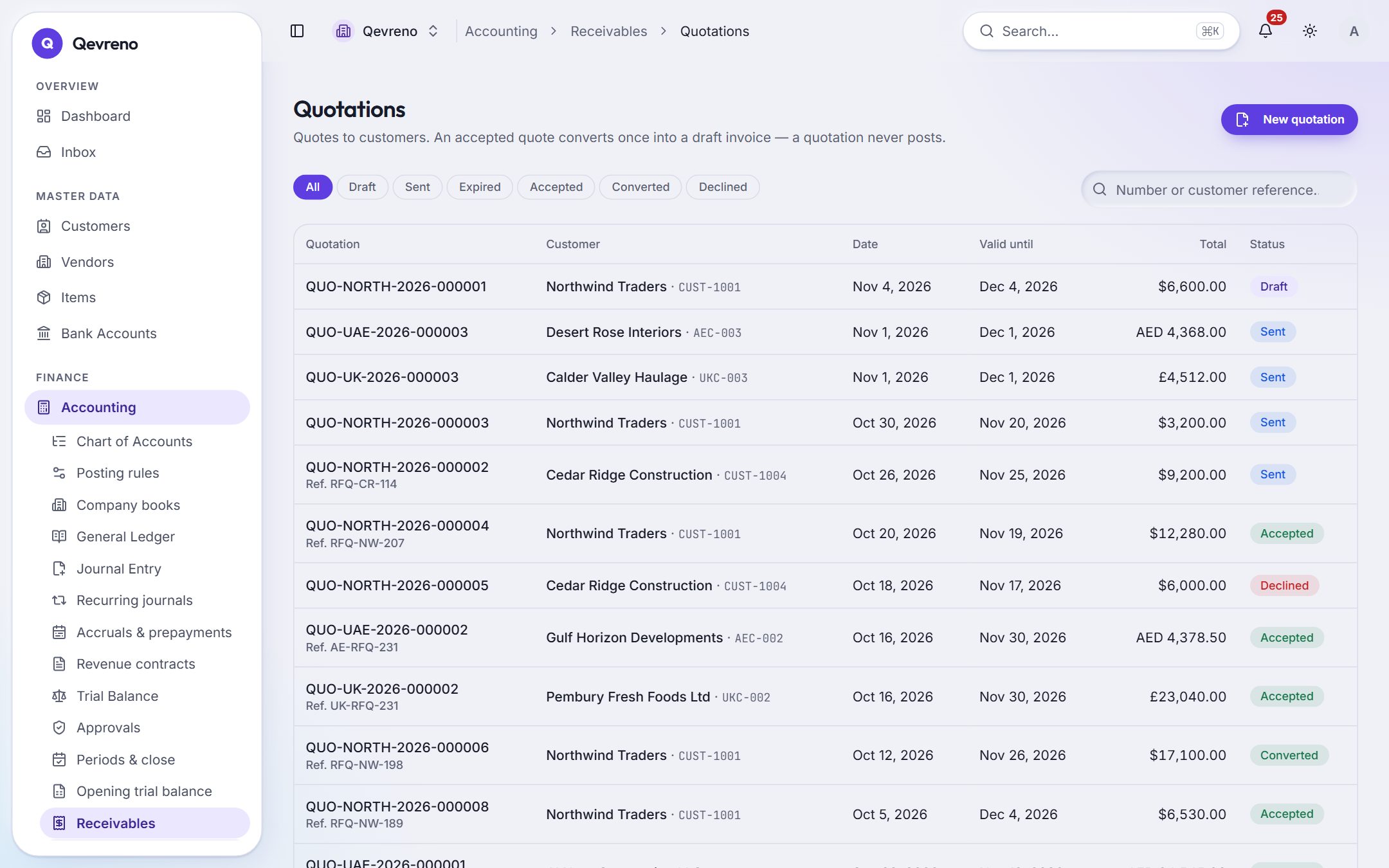
The real screen, with a demo company’s data.
What you can do with quotes & invoices
Quotations that follow up
Send a quote and Qevreno keeps track of when to chase it. Accepted quotes convert to a sales order or an invoice in one step.
Recurring invoices
Rent, retainers, subscriptions: set the schedule once and the invoices raise themselves.
Receipts and allocations
Record a payment, allocate it to one or several invoices, and the customer’s statement updates at once.
Credit notes and corrections
Credit notes, voids that reverse the ledger, and a full history of every change to every document.
Daily takings
Shops and restaurants record the day’s takings by payment method; Qevreno posts it and leaves the card and cash to reconcile.
Know who owes you
Aged receivables, customer statements and the overdue list — each figure opens the invoices behind it.
How it works
In 4 steps
- 1
Create a quotation with items, prices and tax codes.
- 2
When the customer accepts, convert it to a sales order or straight to an invoice.
- 3
Record the receipt when they pay — or let the bank reconciliation find it.
- 4
Print or send the invoice; the books, the customer statement and the dashboard update together.
Good to know
Can I invoice in more than one currency?
Yes. Invoices carry their own currency, and receipts are allocated in that currency.
Can I print invoices with my company details?
Yes. Every document has a print view you can save as PDF.
Works together with
See quotes & invoices with your own numbers
Book a demo and we will walk through your books, your bank and your payroll with you — or create your company and look around on your own.